Login/Sign Up Sign Out
{{ messageCategory.totalUnreadNum }}
APSGO LOGO
{{ item.sku_info.spec_desc }}
{{ item.count }}x
Combination {{ combo.product.name }}
{{ combo.sku_info.spec_desc }}
x1
Total Price:
View Cart
No APPS available
{{ carts.count }}件
Cart
Home Overview Folder for Remote Desktop: Folder redirection for Remote Desktop software
Folder for Remote Desktop: Folder redirection for Remote Desktop software
-27% OFF!
Folder for Remote Desktop: Folder redirection for Remote Desktop software截图 Folder for Remote Desktop: Folder redirection for Remote Desktop software截图 Folder for Remote Desktop: Folder redirection for Remote Desktop software截图 Folder for Remote Desktop: Folder redirection for Remote Desktop software截图
Download
Folder for Remote Desktop: Folder redirection for Remote Desktop software U.K.
Folder for Remote Desktop is a remote desktop extension tool developed by FabulaTech that redirects local drives and folders to a remote desktop environment, making them work like network drives for easy file transfer. It consists of two parts: a workstation and a server, installed on the local computer and remote session respectively, ensuring secure data transmission and isolation from other user sessions. This software supports multiple remote desktop protocols, such as Microsoft RDP, Citrix ICA, etc., without the need for third-party servers or changing firewall settings, and is suitable for Windows and macOS systems.
Expire:
Lifetime License 1 Year License 3 Months License
Package:
1Session+1Server 5Sessions+1Server
* Purchase this specification to receive the following gifts : ( Buy 1 or more items and the offer is valid until stock lasts )
x {{ item.count }}
{{ info.promotion.title }}
Note: In seckill, once sold out, the original price will be restored!
Hurry! Limited-time offer ends soon!
Currently available last {{ sku.promotion_count }} items
{{ info.advancePromotion.title }}
Preview of seckill, event price: {{ info.advancePromotion.skus_infos[sku.sku].promotion_price }} CNY
The inventory available for seckill is {{ info.advancePromotion.skus_infos[sku.sku].promotion_count }} items
Retail Price
Specifications
Not Selected
Group Buying
There is currently no Group Buying available, please open a group
{{ item.spec_desc }}
{{ item.user.nickname }} In {{ item.created_at }} Start Still need {{ item.left_count }}x Pending Group Buying, some users have not paid
Join

Activity Rules

1、Activity time:{{ info.groupon.start_at }} ~ {{ info.groupon.end_at }}。

1、Activity time:cease when sold out。

2、Validity period of the Group Buying:{{ info.groupon.expire_days * 24 }} hours。

3、Number of Group Buying:{{ info.groupon.need_count }}x。

Please Pay Attention

1、Teamwork process: Join/initiate a Group Buying and make a successful payment - Within the validity period, the number of team members meets the activity requirements - Group Buying succeeded!

2、If the number of participants cannot be met within the valid period, the group will fail, and the paid amount will be refunded in the original way.

3、The number of people required and the time of the event may vary among different products. Please pay attention to the rules of the event.

{{ item }} ({{ app.qa.questionsData.total }})

Folder for Remote Desktop


Redirects any folder or storage device to a remote desktop session.


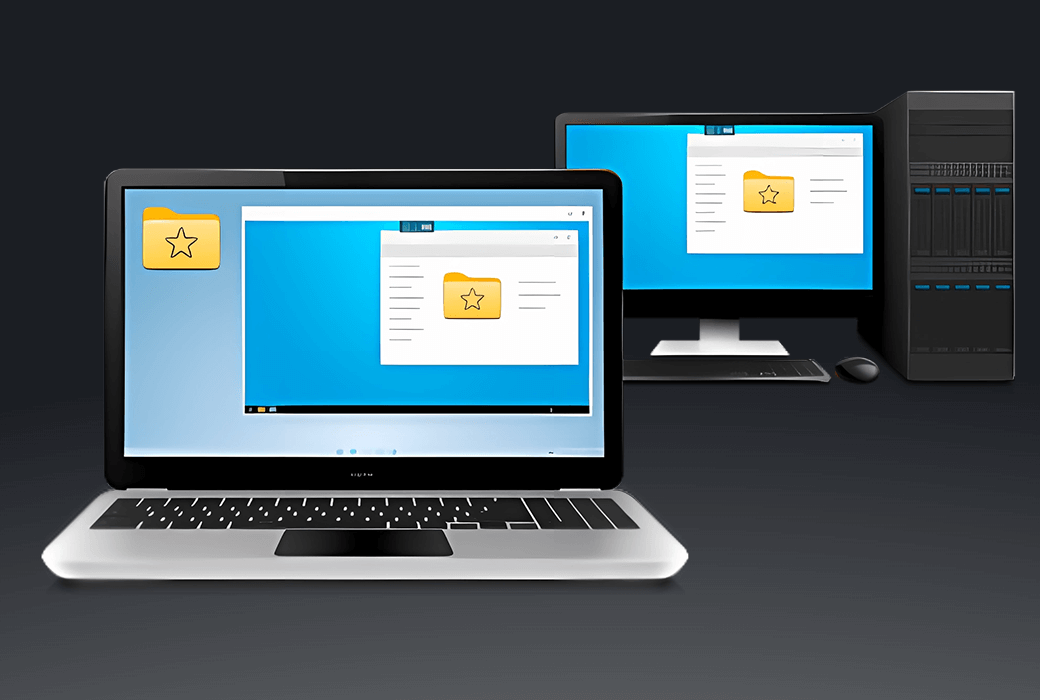
Remote Desktop Folder is a great remote desktop user experience extension that allows local drives and folders to be redirected to the remote desktop environment, making them available like network drives.


Therefore, local files and folders will appear directly in the remote desktop environment, making the file transfer process very easy.


working principle


The remote desktop folder consists of two parts. The workstation is partially installed on the local computer. The server is partially connected to a remote session.


Now, every time you log into a remote desktop session, all of your local drives appear there like network drives, allowing local files to be accessed remotely.


For security reasons, all redirected drives are isolated in your personal user session. Other users on the same system cannot view your files.


Main Features


  1. Reposition local files and folders.
  2. Due to the use of session isolation mechanism, the security is extremely high.
  3. No involvement of third-party servers - content is redirected directly from the local computer to the remote session through an existing remote desktop connection.


Remote Desktop Protocol in Different Environments


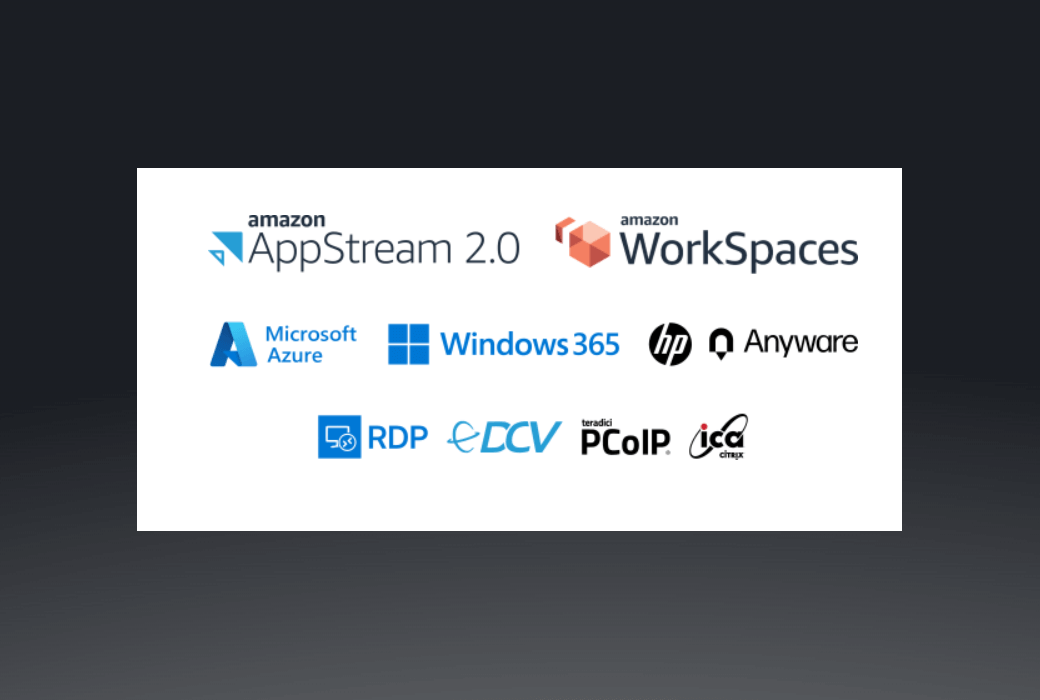
The remote desktop folder supports different remote desktop protocols, including Microsoft RDP, Citrix ICA, Amazon DCV (WSP), Omnissa (VMware) Blast, and Teradici PCoIP.


Any compatible client software can be used to access the remote end. No need to change firewall settings.

Folder for Remote Desktop: Folder redirection for Remote Desktop software LOGO
Official website:https://www.fabulatech.com/folders-for-remote-desktop.html

Download Center:https://folders-for-remote-desktop.apsgo.cn

Resource Download:https://www.fabulatech.com/folders-for-remote-desktop-resources.html

Delivery time:Manual online processing

Operating Platform:Windows、macOS

Interface language:Supports English interface display and multiple language options.

Update Description: 3Monthly License: Supports 3 months of updates and usage. Lifetime license: After purchase, it supports 1-year updates and upgrades. After 1 year, the current version will stop updating, but this license will remain valid for this version.

Trial before purchase:7-day free trial.

How to receive goods:After purchase, the activation information will be sent to the email address at the time of placing the order, and the corresponding product activation code can be viewed in the personal center, My Orders.

Number of devices:According to the purchased authorization.

Replace computer:Uninstall the original computer and activate the new computer.

Activation guidance:To be added.

Special note:To be added.

reference material:https://www.fabulatech.com/sales-faq.html

Any question

Submit
Ask a question
All Default Newest